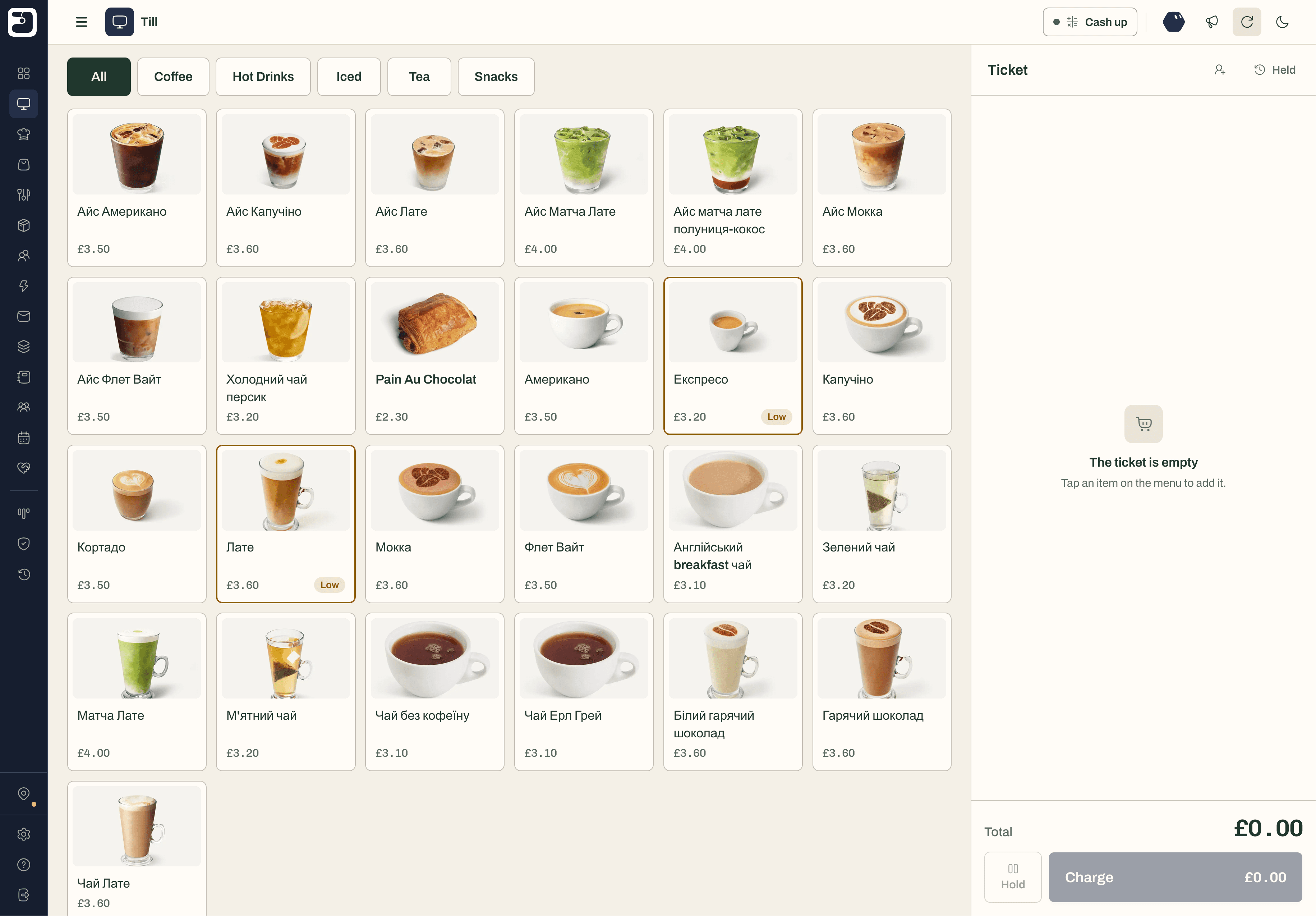
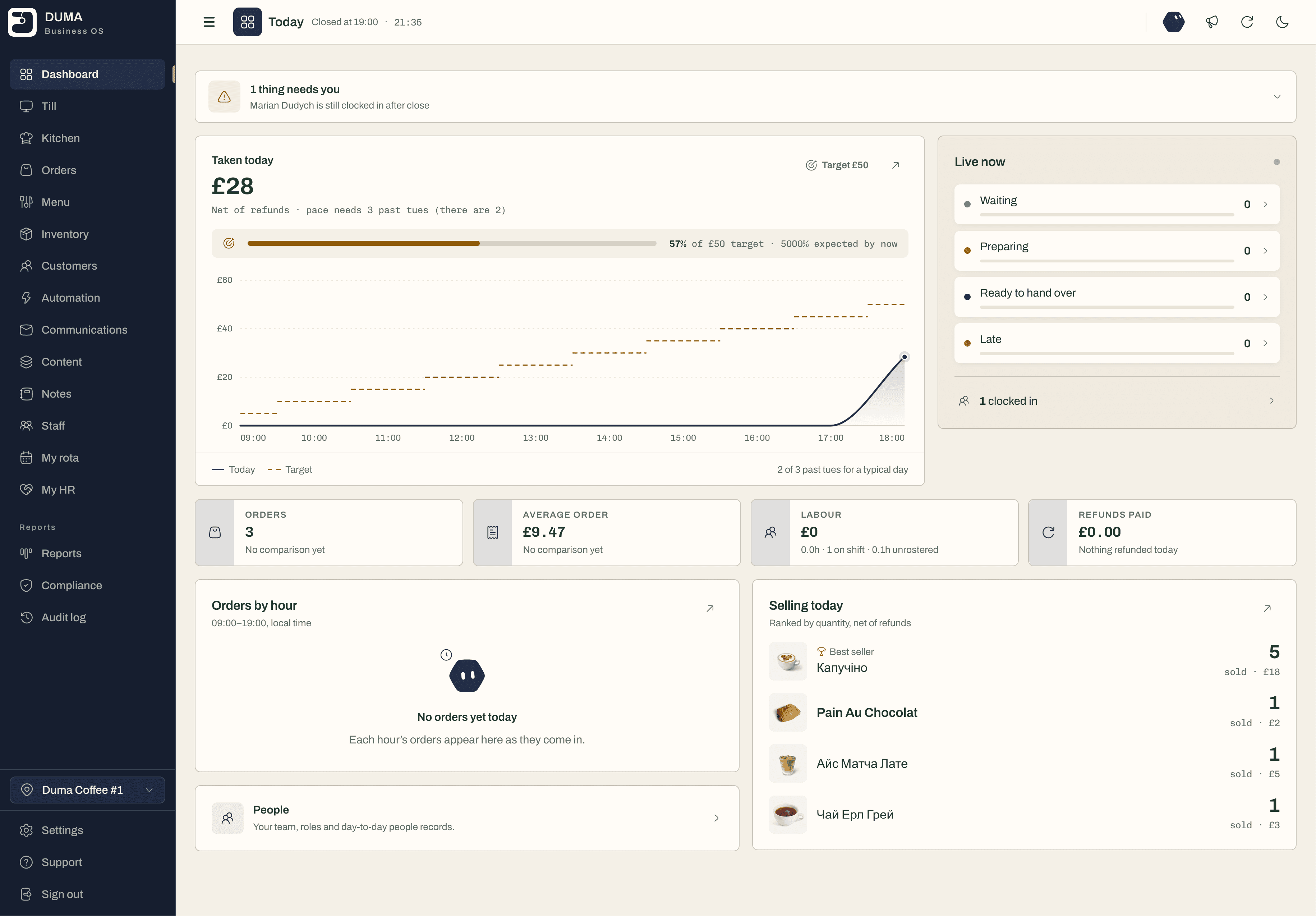
Bar and pub software that keeps up with the Friday rush
A fast till, drinks costed by recipe, table bookings with a waitlist, rotas and cash-up — in one place, on the tablet and card machine you already have.
An example drink for a VAT-registered bar, worked out by DUMA’s own costing.
Five things that quietly cost a bar money
1
Pricing drinks by habit.
When spirits go up, an old price eats the margin without anyone noticing. DUMA costs every drink from its measures, VAT included.
2
Keeping bookings in a paper diary.
Double bookings, lost numbers and empty tables on busy nights. DUMA has a floor plan, a guest booking page and a waitlist for walk-ins.
3
Seeing staff cost at the end of the month.
By then the rota has already eaten the profit. In DUMA staff cost sits next to the night’s takings, while you can still change it.
4
A cash-up that never balances.
Counting the drawer against a guess. DUMA compares what you count with the cash and card it expected, so differences show up the same night.
5
Letting the till stop with the Wi-Fi.
A dropped connection on a Friday shouldn’t mean a queue at the bar. The DUMA till keeps taking orders and sends them when it’s back.
How DUMA runs a bar
One workspace for the bar, the floor and the back office: a till that never stops, bookings and a waitlist, drinks with real margin, rotas and a cash-up that adds up.
* free in full means it stays free with no limits. The names and figures in these cards are examples.
included
Table bookings and waitlist
A floor plan of your tables, a booking page for guests, and a waitlist that seats walk-ins when a table frees up.
Tonight
3 booked · 1 waiting
18:30Hart, 4T3Seated
19:00Khan, 2B1Booked
19:15Reid, 6T7Booked
19:45Moss, 3—Waitlist
free in full
Drinks costed by recipe
Cost every drink from its measures and see what you keep after VAT, on the menu and in the reports.
Gin and tonic
£8.50
Gin 50 ml
£1.10
Tonic 200 ml
£0.65
Lime and ice 1
£0.10
VAT in the price (20%)
£1.42
You keep
£5.2374% margin
free in full
Rotas and time
Your team sees the rota on their phone and clocks in there — with staff cost next to the night’s takings.
MonTueWedThuFri
Amira07–1507–1507–1507–15
Josh12–2012–2012–20
Lena10–1607–1510–18
Staff cost this week 24% of takings
free in full
A till that works offline
Sell on any tablet or phone. When the Wi-Fi drops, orders queue on the device and send themselves later.
Offline — 2 orders waiting to send
Order 1043Saved on this device
Order 1042Saved on this device
Order 1041Sent
Four things bars do with DUMA every week
Whether you run a pub, a cocktail bar or a wine bar, these are the jobs DUMA takes off the end of the night.
Start with the one you need most. The rest is already in the same workspace, with nothing to move when you’re ready.
Price drinks with confidence
See the margin on every drink, VAT included, and spot the ones to reprice before the next menu.
Fill the tables on busy nights
Guests book online and can change or cancel their own booking. Walk-ins join the waitlist and are seated when a table frees up.
Cash up in minutes
Count the drawer and DUMA shows what it expected in cash and card, so a difference is found the same night.
Keep the regulars coming back
Every visit builds the customer’s profile. Points or stamps reward the regulars, and email reaches only those who opted in.
What bar software should do, and how to set it up
Bar software should connect the till to the bookings, the rota and the cash drawer. If you only look at takings, you can’t see the margin. If you only look at bookings, you can’t see the staff cost behind them.
How to set up DUMA in a bar
1
Tell DUMA what you run.
Bar or pub, with or without food — answer a few questions at sign-up and DUMA switches on the parts that fit.
2
Bring in your drinks, tables and team.
Add your drinks and their measures, draw your floor plan and invite your staff. We’ll help you do it, for free.
3
Open the till.
Use any tablet or phone, keep your card machine, and take your first order. Bookings, stock and reports update from then on.
Bar numbers worth watching
Margin per drink
What each drink makes after its measures and VAT. The number that tells you what to push and what to reprice.
Takings against a typical night
Tonight compared with the same weekday in past weeks, so a quiet Monday is told apart from a bad one.
Staff cost against takings
Labour as a share of sales — the quickest sign the rota and the trade are out of step.
Top sellers
What sold, by quantity and value. Useful for the menu, the specials and the stock order.
Waste and breakage
Logged spills, breakage and out-of-date stock, so stock and margin reflect what really left the bar.
Cash-up difference
What you counted against what DUMA expected in cash and card, every night.
A card-reader app, separate apps, or one system
Three ways most bars run. Here is what each one covers.
A card-reader till app
Good at taking payments. Bookings, recipe margin and rotas usually live somewhere else.
Fast till and paymentsCovered
Drinks costed by recipeOften an add-onPartly covered
Table bookings and waitlistNot covered
Rotas and cash-upCash-up only, oftenPartly covered
Everything in one placeNot covered
Best forTaking payments, and not much more
Separate apps for each job
A till, a booking app and a rota app can each be strong, but none of them share data.
Fast till and paymentsOne appCovered
Drinks costed by recipeUsually a spreadsheetPartly covered
Table bookings and waitlistAnother appCovered
Rotas and cash-upAnother appCovered
Everything in one placeNumbers copied between appsNot covered
Best forTeams happy to run several logins and bills
DUMA
Till, bookings and waitlist, drinks with margin, rotas, cash-up and reports in one workspace.
Fast till and paymentsKeep your card machineCovered
Drinks costed by recipeVAT-awareCovered
Table bookings and waitlistGuest booking pageCovered
Rotas and cash-upCovered
Everything in one placeOne login, one billCovered
Best forBars that want one place and one bill — free to start
Yes. Each location has a guest booking page with your booking rules. Guests pick a time and party size, and can change or cancel their own booking.
Is there a waitlist for walk-ins?
Yes. Add a party to the waitlist, and seat them when a table on your floor plan frees up.
Can I cost drinks by the measure?
Yes. Add a recipe with the measures and what each costs. DUMA takes VAT out of the price if you are registered and shows the margin you keep.
How does cash-up work?
Count the drawer at close, and DUMA shows what it expected in cash and card from the day’s sales, so any difference shows up the same night.
Can I keep my card machine?
Yes. Square and SumUp connect to DUMA directly. With any other card machine, key the amount in and mark the sale as card — it still lands in your reports.
What happens if the Wi-Fi goes down?
The till keeps taking orders. They are saved on the device and sent when the connection is back, and a sale that cannot be sent is kept for you to check.
The one place to run your bar.One simple bill, or none at all.
Get started in minutes, completely free. No card required, and we’re here to help you every step of the way.